




Ellen Lee, Ryan Whitwam, & Andrew Cunningham
But if you need to buy one, we recommend Apple’s 11th-generation iPad. After hundreds of hours spent testing tablets, we’ve concluded that it has the best combination of ease of use, performance, kid-appropriate app selection, and price. It can do anything your kid might want, from schoolwork to games. And it’s Wirecutter’s choice for the best all-around tablet as well.
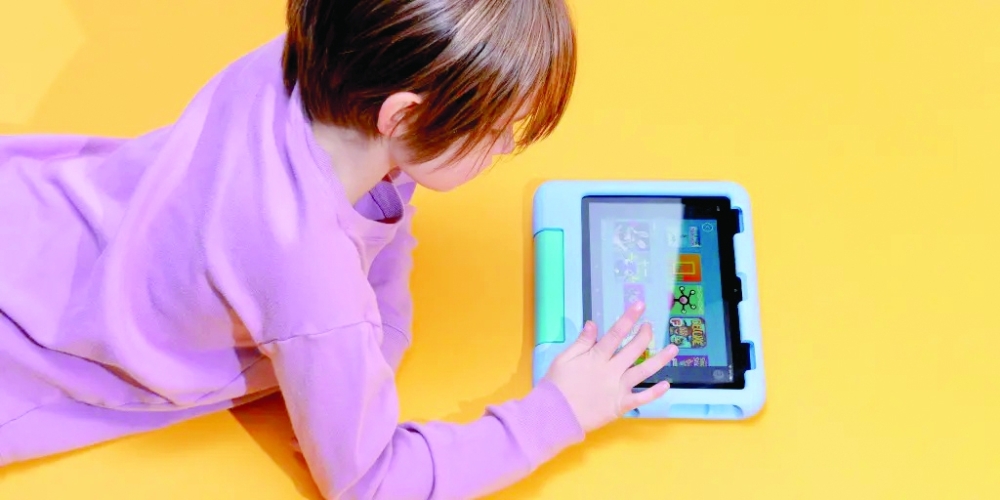
If you want to spend less, consider the Amazon Fire HD 8 Kids or Fire HD 8 Kids Pro. They have slower speeds and fewer app and game options than the iPad, but they do come with a childproof case and a generous warranty. We also have advice on buying used and refurbished tablets.
The iPad is a fast, well-made tablet with a great screen, but its app selection may be its best feature. You can, of course, also use it to download or stream video from just about anywhere, including YouTube Kids and Disney+. But Apple’s App Store offers a huge range of fun and educational apps and games for kids of all ages, as well as tons of apps for creating and editing art, video, and audio, which can nurture a child’s creative impulses. An iPad isn’t cheap, but it will last for years — thanks to great hardware and to frequent system and security updates — and the app library means an iPad will stay useful as your kid grows and their interests change.
If you want a tablet dedicated to kid-focused video, books, and music, the Amazon Fire HD 8 Kids is a decent 8-inch tablet that comes with a protective case and a six-month or one-year subscription to Amazon Kids+, which has a library of kid-friendly content. The Fire HD 8 Kids is much slower and more difficult to use than an iPad, and it has far fewer apps and games, but its smaller size may be more comfortable to hold for younger kids, it supports multiple user accounts, and it’ll likely survive a drop better than an iPad. Plus, Amazon offers a two-year “worry-free” warranty that promises to replace your Fire if it breaks.
The Fire HD 8 Kids is intended for younger kids ages 3 to 7, while the Fire HD 8 Kids Pro is for older kids, about ages 6 to 12. The technical specs of the two devices are the same, but the Pro version gives kids access to a digital store of additional kid-friendly apps, games, and books for purchase (with parental permission), such as Minecraft. It also offers sleeker, less childish case options.
We’ve spent countless hours testing iPads and Android tablets, both for general use and with kids. We’ve also repeatedly surveyed parents on our staff to get an idea of what caregivers — and kids — need and want from a tablet.
Based on our staff surveys as well as conversations and research with fellow parents and caregivers, we looked for:
a durable tablet that can stand up to normal wear and tear — either because the tablet itself is durable or because it has many options for cases and screen protectors
a wide selection of apps, especially for education, video streaming, gaming, and reading
robust parental controls for limiting what kids can do
a good amount of storage for downloaded games and videos
good enough performance to play relatively demanding games
We spent additional testing time (both for this guide and for our guide to parental controls on smartphones) using the parental control features on the various tablets we considered. We also weighed cost and the tablet’s potential longevity.
Apple’s 11th-generation iPad is the best kids tablet for many of the same reasons that it’s our overall top pick among tablets: It’s the cheapest way to access Apple’s huge library of educational, video, gaming, and reading apps. Plus, it’s fast and responsive, and the 11-inch display is sharp and bright enough to use indoors or out.
The best thing about the iPad is the superior catalog of kid-friendly apps available in the App Store. If you have a younger child, you’ll appreciate the wide selection of age-appropriate games from developers like Toca Boca and educational and licensed apps such as the ones from PBS Kids. Older kids can take advantage of all the different sources of ebooks, apps with Apple Pencil support for drawing, and video- and audio-creation apps like Apple’s own iMovie and GarageBand, which artistically inclined kids might enjoy. – New York Times
Oman Observer is now on the WhatsApp channel. Click here